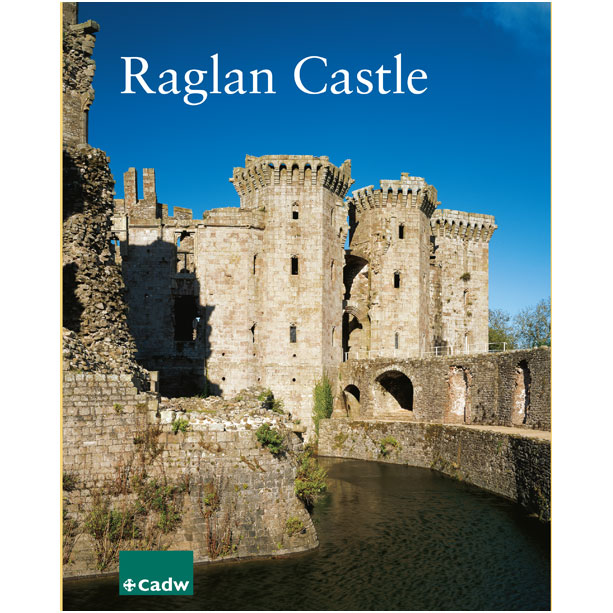
Llawlyfr Castell Rhaglan (Saesneg)
£4.95
£25.00
x1
Cadw Chilly's Bottle - Black

O £2.95
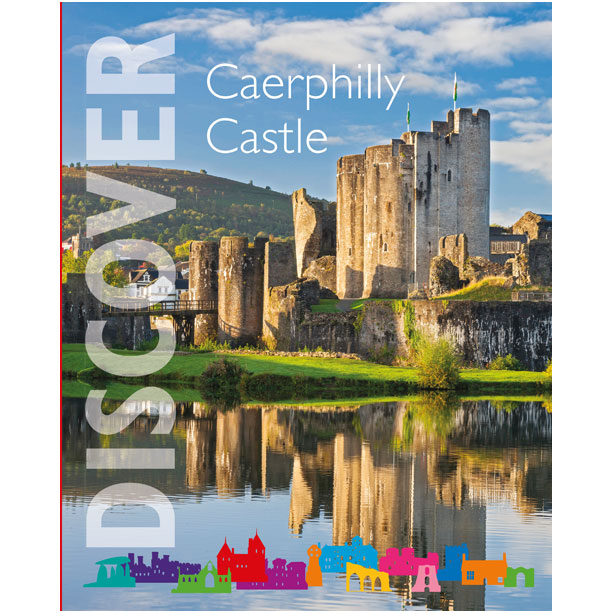
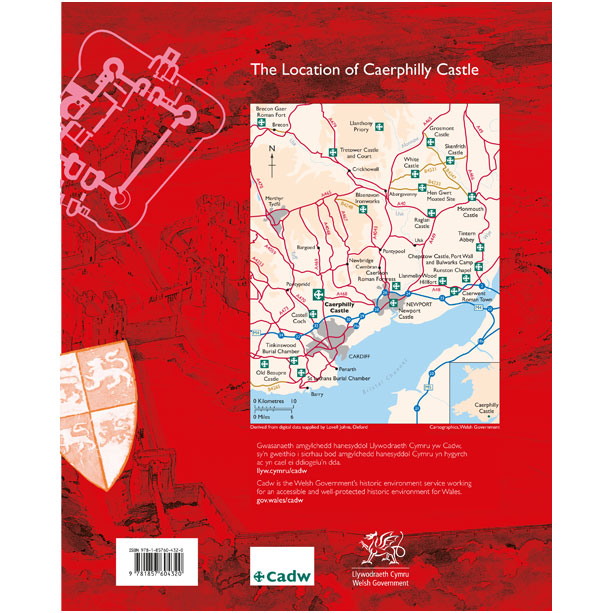
Ystyrir mai Castell Caerffili yw un o gestyll mwyaf mawreddog gorllewin Ewrop yr oesoedd canol.
Cyfunwyd ei waliau a thyrrau enfawr ag amddiffynfeydd dŵr helaeth, gan greu cadarnle oedd yn gryf eithriadol tra’n gweithredu fel symbol nerthol o arglwyddiaeth a grym.
Mae diddordeb pellach i’w gael yng Nghaerffili am fod y castell yn enghraifft gynnar o’r egwyddor amddiffyn gonsentrig (waliau o fewn waliau). Mabwysiadwyd llawer o’r nodweddion yn ddiweddarach wrth i’r Brenin Edward 1 (1272-1307) adeiladu’i gestyll mawrion yng ngogledd Cymru.
Mae’r tywyslyfr hon ar gael yn Saesneg yn unig.
Cod y Cynnyrch : CPG05497
Cyhoeddwyd 2016 / 64 tudalen / ISBN 978-1-85760-432-0
Maint 210mm (ii) x 255mm (u) Iaith Saesneg
Nwyddau o’r siop
Dim ond ar gyfer cludiant yn y DU mae’r prisiau. I drafod archebion tramor, e-bostiwch CadwOnlineShop@llyw.cymru.
Gwybodaeth am Gludiant
Cludiant safonol y DU (gan y Post Brenhinol neu Gludwr) £2.95
Cludiant Safonol
Yn berthnasol i gludiant safonol y DU yn unig – gallwch ddisgwyl cludiant gan y Post Brenhinol neu gludwr o fewn 7 diwrnod i archebu.
Gallai cludiant i ardaloedd diarffordd gymryd hirach, gan gynnwys y codau post canlynol: AB, BT, DD 8-11, HS, IV, KA 27-28, KW, PA20-23, 28-29, 31, 34, 41 ymlaen, PH8, 10, 16, 18 ymlaen, TR21-25, ZE.
Pryd fyddaf yn derbyn fy nwyddau?
Ar ôl i chi archebu ar-lein, byddwn ni’n anfon e-bost cadarnhau â’r pwnc ‘Siop Ar-lein Cadw – diolch am eich archeb’ atoch chi.
Os nad ydych chi wedi derbyn yr e-bost hwn o fewn 24 awr i archebu neu os nad yw eich nwyddau wedi cyrraedd o fewn yr amser a nodir yn yr e-bost, e-bostiwch:
CadwOnlineShop@llyw.cymru
Dychwelyd ac ad-dalu
Ein polisi ad-dalu tocynnau ar-lein:
Polisi dychwelyd ein siop
Gobeithio eich bod wrth eich bodd gyda’ch archeb. Os hoffech ddychwelyd cynnyrch (heblaw am gyhoeddiadau) a brynwyd gennyn ni, gallwn ad-dalu neu gyfnewid.
Pwysig:
Dim ond os yw cyhoeddiad yn ddiffygiol/wedi difrodi wrth gael ei gludo neu cyn ei anfon y gellir cael ad-daliad, neu os ydyn ni’n anfon y cyhoeddiad/au anghywir atoch chi.
Rhaid dychwelyd yr eitemau heb eu defnyddio, yn y pecyn gwreiddiol (gyda’r labeli) a’u dychwelyd o fewn 30 diwrnod i dderbyn eich archeb. Mae’r polisi hwn yn ychwanegol at eich hawliau statudol a’ch hawliau defnyddiwr.
I drefnu dychwelyd eitem, e-bostiwch CadwOnlineShop@llyw.cymru ble cewch God Dychwelyd a ffurflen ddychwelyd. Dylid dychwelyd nwyddau a’ch ffurflen ddychwelyd wedi ei llenwi at:
Manwerthu Cadw — Siop Ar-lein,
Ty'r Afon
Heol Bedwas
Caerffili
CF83 8WT
Anfonwch eich pecyn mewn ffordd ddiogel neu mewn ffordd y gellir ei holrhain a chadwch y prawf eich bod wedi ei bostio. Y cwsmer sy’n talu’r costau dychwelyd oni bai bod eitem yn ddiffygiol.
Os ydyn ni’n anfon eitem na wnaethoch chi ei harchebu (eitem “anghywir”), e-bostiwch ni a byddwn yn anfon taleb bostio wedi’i rhagdalu atoch er mwyn i chi ddychwelyd yr eitem.
Caiff pob ad-daliad ei brosesu o fewn 14 diwrnod i’r dyddiad rydyn ni’n derbyn yr eitemau.
Caiff ad-daliadau eu had-dalu i’ch dull gwreiddiol o dalu tua deuddydd ar ôl cael eu prosesu. Yn dibynnu ar eich banc, gallai gymryd hirach i’r credyd ymddangos ar eich cyfriflen.
Noder: Os ydych chi wedi prynu eitem mewn siop Cadw ac eisiau ad-daliad, dim ond mewn siop y gellir prosesu hyn. Peidiwch â defnyddio’r broses uchod, os gwelwch yn dda.
Eitemau na ellir eu had-dalu na’u cyfnewid
Ni allwn gynnig ad-daliad na chyfnewid y nwyddau canlynol (os nad ydyn nhw’n ddiffygiol):
Byddwn ni’n ad-dalu’r tâl cludiant llawn os caiff cynnyrch diffygiol neu wedi ei ddifrodi ei ddychwelyd, ond ddim os yw’r cynnyrch yn ddiangen yn unig.
Eitemau diffygiol
Os yw eitem yn ddiffygiol, cysylltwch â ni ar 03000 250022 neu e-bostiwch CadwOnlineShop@llyw.cymru i drafod trefnu dychwelyd yr eitem neu gael un yn ei le.